
1. Wrong Username or Password
We’ve all been there—you try to log in, and it just won’t work. Could it be a typo?

How to Fix It:
 Double-check your email and password – Ensure there are no typos or extra spaces. Use the correct email – Did you sign up with a different email? Try another one. Reset your password – Click “Forgot Password?” to create a new one. Use a password manager – If you saved it, retrieve it from there.
If you’re still having trouble with your ChatGPT Login, don’t keep guessing! Reset your password and try again.
2. Account Locked or Suspended
Multiple failed attempts or policy violations can lead to your ChatGPT Login being restricted.
How to Fix It:
Wait 15-30 minutes – Temporary locks usually reset automatically. Check your email – OpenAI may have sent an alert. Contact support – If it’s an error, reach out to OpenAI’s team.
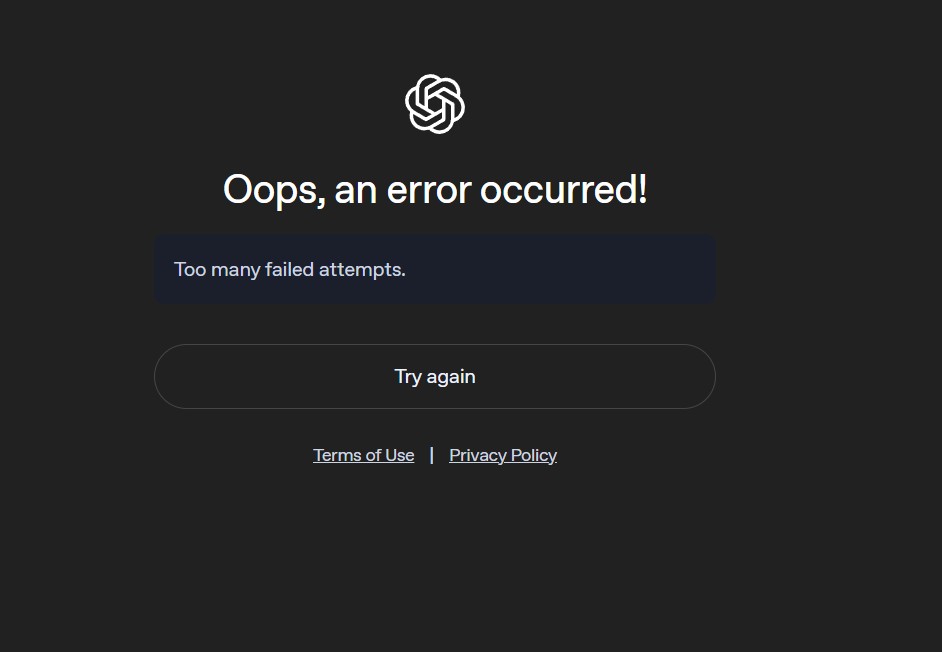
3. Too Many Login Attempts
Trying too many times? OpenAI might block your ChatGPT Login for security reasons.
How to Fix It:
Take a break – Wait 15-30 minutes before trying again. Switch browsers or devices – This can sometimes bypass the block. Reset your password – If unsure, reset instead of guessing.
4. Browser Issues (Cache & Cookies)

If your browser stores old data, it can interfere with your ChatGPT Login.
How to Fix It:
Clear your cache and cookies – Go to settings and delete them. Try incognito mode – A private window might help. Switch browsers – If Chrome isn’t working, try Firefox or Edge. Disable browser extensions – Ad blockers or security add-ons might be the issue.
5. Server Downtime & Maintenance
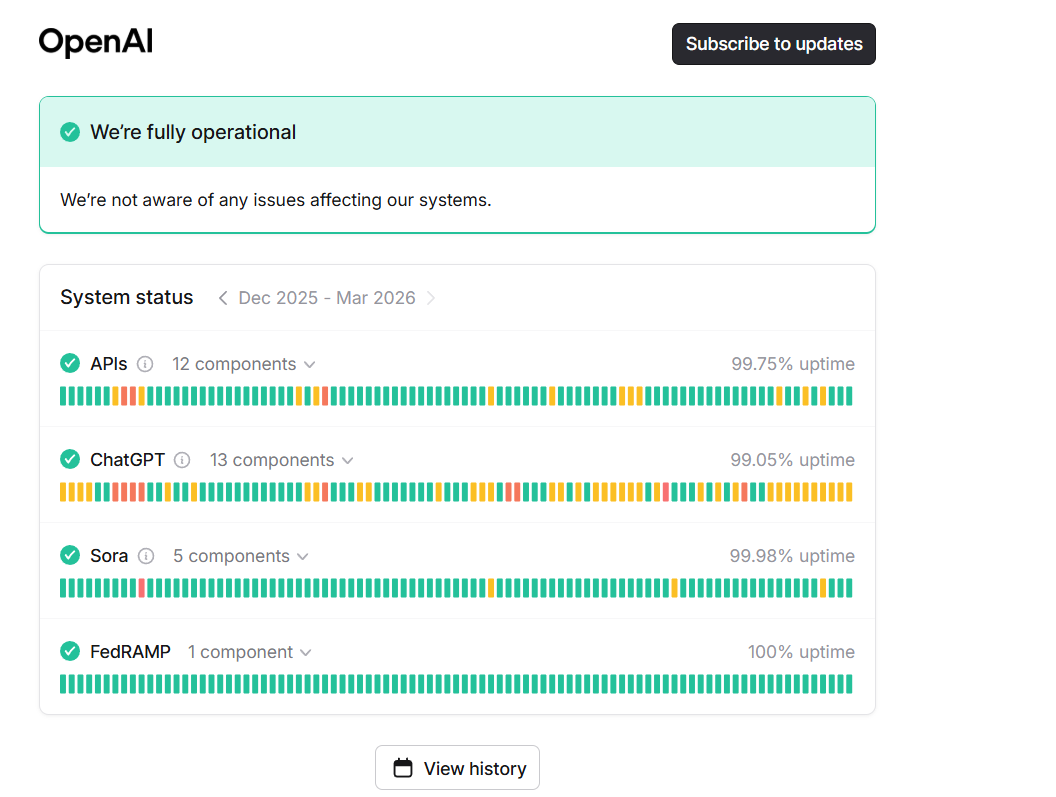
If OpenAI’s servers are down, you won’t be able to access your ChatGPT Login—no matter what you do.
How to Fix It:
Check OpenAI’s status page – Visit status.openai.com for updates. Try again later – Server issues usually get fixed within hours. Switch networks – Sometimes, using mobile data instead of Wi-Fi helps.
6. Two-Factor Authentication (2FA) Issues
Got 2FA enabled? If the verification code isn’t arriving, you can’t complete your ChatGPT Login.
How to Fix It:
Check your phone/email – The code might take a few minutes. Use backup codes – If you saved them, now’s the time to use one. Request a new code – Click “Resend” if needed. Disable 2FA temporarily – If possible, log in from another device and turn off 2FA.
7. Network & VPN Problems
A weak internet connection or a VPN could be stopping your ChatGPT Login.
How to Fix It:
Restart your router – A quick reset might solve the issue. Turn off your VPN or proxy – Some VPNs block access. Switch networks – Try using mobile data instead of Wi-Fi.
8. Device-Specific Issues
If ChatGPT Login works on your phone but not your laptop, your device might be the issue.
How to Fix It:
Restart your device – A simple reboot fixes many login problems. Update your browser or app – An outdated version can cause issues. Reinstall the ChatGPT app – If you’re using the mobile app, uninstall and reinstall it.
9. Session Timeout & Auto Logout
If ChatGPT Login keeps kicking you out, you might be facing session timeouts.
How to Fix It:
Keep the tab active – Avoid letting the session sit idle for too long. Enable “Remember Me” – If available, check this option. Use a different device – Some devices have shorter session limits.
10. Login Loop (Stuck on Login Page)

Stuck in an endless ChatGPT Login loop? You enter details, press login… and nothing happens?
How to Fix It:
Clear cache & cookies – Corrupt cache can cause login loops. Try a different browser or incognito mode – This often works. Check OpenAI for updates – They might be rolling out changes.
11. Apple ID Login Loop
You tap “Continue with Apple,” the screen loads, and then dumps you right back to the login page. Over and over. No error message. Nothing happens.
This happens because Apple’s “Hide My Email” feature creates a private relay address (something like abc123@privaterelay.appleid.com) when you first signed up. ChatGPT tied your account to that relay address — not your real email. When the relay breaks or Apple’s token expires, the loop starts.
How to Fix It:
Open a browser and go to chatgpt.com/auth/login
Click “Continue with Apple” — do not try email and password
If the loop continues, go to appleid.apple.com on your phone
Navigate to Sign-In & Security > Apps & Websites Using Apple ID
Find ChatGPT and tap Stop Using Apple ID
Return to ChatGPT and sign up again using “Continue with Apple” — this resets the token
If you used “Hide My Email,” check your relay address and use that as your login email going forward
12. Cloudflare Verification Loop (“Checking Your Browser…”)
You land on the ChatGPT login page and see a spinning Cloudflare screen that says “Checking your browser before accessing…” It spins for a few seconds, then either loops back to the same screen or shows an error. You never reach the actual login form.
Cloudflare sits in front of ChatGPT as a security layer. When it cannot verify that you are a real browser because of a VPN, a privacy extension, JavaScript being blocked, or third-party cookies being disabled, it loops indefinitely rather than letting you through.
How to Fix It:
Turn off your VPN completely before attempting to load the page Disable browser extensions one by one — ad blockers, privacy badgers, and script blockers are the most common culprits Make sure JavaScript is enabled for chatgpt.com and openai.com (check under browser Settings > Privacy > Site Settings) Enable third-party cookies for chatgpt.com — Cloudflare’s verification requires them Try loading the page in a fresh incognito window with all extensions disabled
13. Subscription Lockout (ChatGPT Plus Access Blocked)
You are a paying ChatGPT Plus subscriber but the system either logs you out repeatedly, shows you the free tier interface, or returns an error saying your subscription is not active. Your card was charged. Your account shows Plus. But you cannot access it.
This is a billing-authentication mismatch — OpenAI’s payment system processed the charge but the session token has not picked up the updated subscription status. It also happens when a card expires mid-cycle, a payment is flagged, or a bank blocks the recurring charge without notifying you.
How to Fix It:
Log out of ChatGPT completely and log back in. This forces a fresh session token that picks up your current subscription status If that does not work, go to chat.openai.com > click your profile icon (bottom left) > My Plan Check that your subscription shows as active and the renewal date is in the future If it shows as cancelled or expired, click Renew Plan and check your payment details Go to your bank app or card statement and verify the OpenAI charge went through — some banks flag it as an unusual transaction and silently block it If your card details have changed, update them under My Plan > Manage Subscription > Update Payment Method After updating the payment, log out fully, clear cookies, and log back in
Final Thoughts
Having ChatGPT Login issues can be frustrating, but most problems have simple fixes. Whether it’s a password error, server issue, or browser glitch, following these steps will get you back in fast.
If nothing works, visit OpenAI’s support page for further help. Now go ahead—log in and start using ChatGPT hassle-free!
Open AI ChatGPT Login Common Questions & Solutions
Having trouble with OpenAI ChatGPT Login? Whether it’s a password issue, a server error, or a browser glitch, you’re not alone. Below are 25 frequently asked questions to help you troubleshoot and resolve login problems quickly.
1. Why can’t I log in to ChatGPT?
There could be several reasons: incorrect login details, a temporary account lock, browser issues, or server downtime. First, check if OpenAI’s servers are online. Then, clear your browser cache, reset your password, and try logging in again. If the issue persists, contact OpenAI support.
2. What should I do if I forgot my ChatGPT password?
Click on “Forgot Password?” on the login page and enter your registered email. OpenAI will send a reset link. If you don’t receive an email within a few minutes, check your spam folder or request another reset.
3. Why is my ChatGPT account locked?
Your account might be locked due to too many failed login attempts or a potential security issue. Wait 15-30 minutes and try again. If it remains locked, contact OpenAI support to resolve the issue.
4. What does “Too Many Login Attempts” mean?
This happens when you try logging in multiple times with incorrect credentials. OpenAI temporarily locks the account to protect against unauthorized access. Wait 30 minutes, then try again or reset your password.
5. How do I fix OpenAI ChatGPT login errors caused by browser issues?
Clear your browser’s cache and cookies, use incognito mode, or switch to a different browser like Firefox, Edge, or Safari. Also, ensure your browser is up to date.
6. Why is ChatGPT asking for two-factor authentication (2FA) but I never set it up?
If you didn’t enable 2FA but are prompted for it, your account might be compromised. Immediately reset your password and check your email for security alerts from OpenAI.
7. My 2FA code isn’t arriving. What should I do?
Check your email and phone for the verification code. If it doesn’t arrive, request a new one. If you’re locked out, use your backup codes or contact OpenAI support for assistance.
8. Why does ChatGPT keep logging me out?
This might be due to session timeouts or security settings. Enable the “Remember Me” option if available. Also, try using a different device or browser to see if the issue persists.
9. How do I fix ChatGPT being stuck in a login loop?
If entering your credentials just reloads the page, try clearing your browser cache, switching to incognito mode, or using a different browser. If that doesn’t work, check OpenAI’s server status.
10. What should I do if OpenAI servers are down?
If OpenAI’s servers are undergoing maintenance or experiencing issues, you won’t be able to log in. Visit status.openai.com for real-time updates. The only fix is to wait for the service to be restored.
11. Can I log into ChatGPT on multiple devices?
Yes! You can use ChatGPT Login on multiple devices, but excessive logins from different locations might trigger security checks. If you get logged out frequently, try using a single trusted device.
12. Why is my VPN blocking ChatGPT login?
Some VPNs interfere with ChatGPT Login due to security restrictions. Try turning off your VPN or switching to a different server. If possible, log in without the VPN enabled.
13. Why am I seeing “Access Denied” when logging into ChatGPT?
This usually means OpenAI has blocked your IP due to security reasons. Try resetting your router, switching to mobile data, or disabling your VPN to change your IP.
14. Why does ChatGPT say “Invalid Credentials” even though my login details are correct?
Your email or password might have been entered incorrectly. Double-check for typos, ensure caps lock is off, and try resetting your password if the issue continues.
15. Can I recover a deleted ChatGPT account?
No, once you delete your OpenAI ChatGPT account, it’s permanently removed. You’ll need to create a new account with a different email.
16. Why is my OpenAI ChatGPT login not working on mobile?
If you’re using the ChatGPT app, try updating or reinstalling it. If using a browser, clear cache & cookies or switch to another browser. Ensure you have a stable internet connection.
17. Does ChatGPT support social media logins (Google, Apple, etc.)?
Yes, you can log in using Google or Apple accounts. If you have issues, try logging in manually with an email and password instead.
18. How do I log out of ChatGPT?
Click on your profile icon in the top right corner, then select “Log Out”. If you want to log out remotely, clear your browser cookies or change your password.
19. Can someone else log into my ChatGPT account?
Only if they have your email and password. To secure your account, enable 2FA, use a strong password, and never share login details.
20. My ChatGPT login works on one device but not another. Why?
Different devices may have different settings. Try updating your browser, clearing cookies & cache, or switching networks. Also, check if your device’s date & time settings are correct.
21. How do I switch between multiple ChatGPT accounts?
Simply log out of one account and log into another. If using Google or Apple login, make sure you’re selecting the correct account.
22. Can I use the same ChatGPT login on different browsers?
Yes, but some security settings might log you out if you switch browsers frequently. Keep your primary browser updated for smooth access.






