Most teams adopt AI in testing, feel faster for a few weeks, then can’t explain to anyone why the tool is still on the invoice. That’s not a tooling problem. It’s a measurement problem. If you can’t point to the manual hours it replaced, the rework it caused, and the coverage it actually gave you, you don’t have proof of value. You have a feeling.
This piece walks through the exact numbers I track when a client asks me to justify an AI testing spend, plus the weekly habit that keeps the number honest instead of flattering. By the end, you’ll have a simple framework you can run starting this week, no new tooling required.
The Industry Assumes Speed Is the Whole Story
Most vendor pitches sell AI in testing on one metric: how much faster test creation gets. I’ve sat inside enough of these programs to know that speed alone is a trap. A tool that writes tests in a third of the time isn’t saving anyone anything if half those tests need rework before they’re trustworthy.
Twenty-five years of watching QA programs adopt new tooling has taught me the same lesson every time. Whatever gets measured gets defended in the budget meeting. Whatever doesn’t gets cut the first time finance asks a hard question, regardless of whether it was actually working. The teams that keep their AI testing tools past year one are the ones who built a measurement habit from day one, not the ones with the flashiest demo.
The AI Testing Framework: Five Numbers, One Weekly Habit
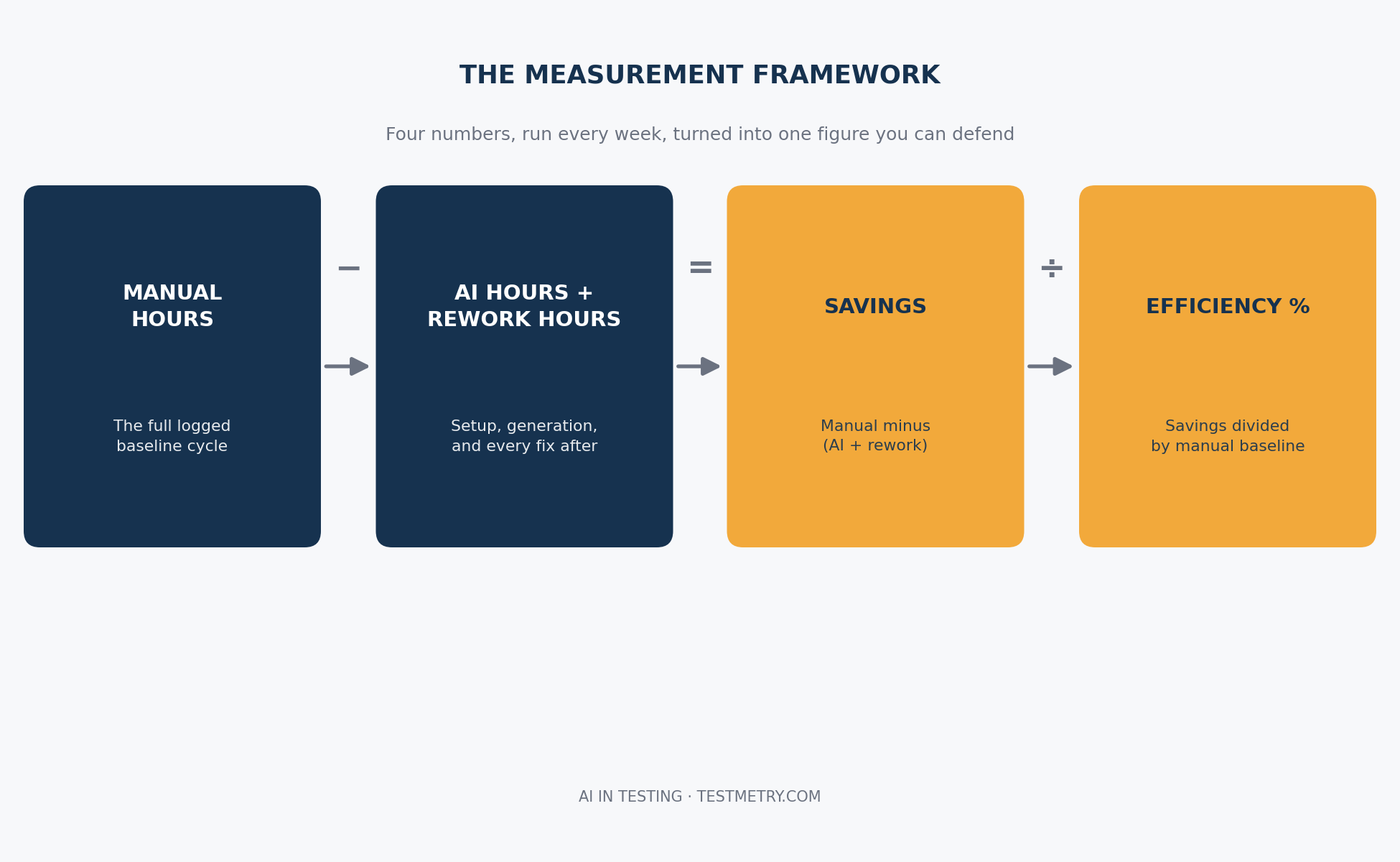
This isn’t a formal research study with a control group. It’s a field-tested framework built from running this exact exercise with QA teams across several engagements. The method is simple on purpose, because a measurement system nobody keeps up is worse than no measurement system at all.
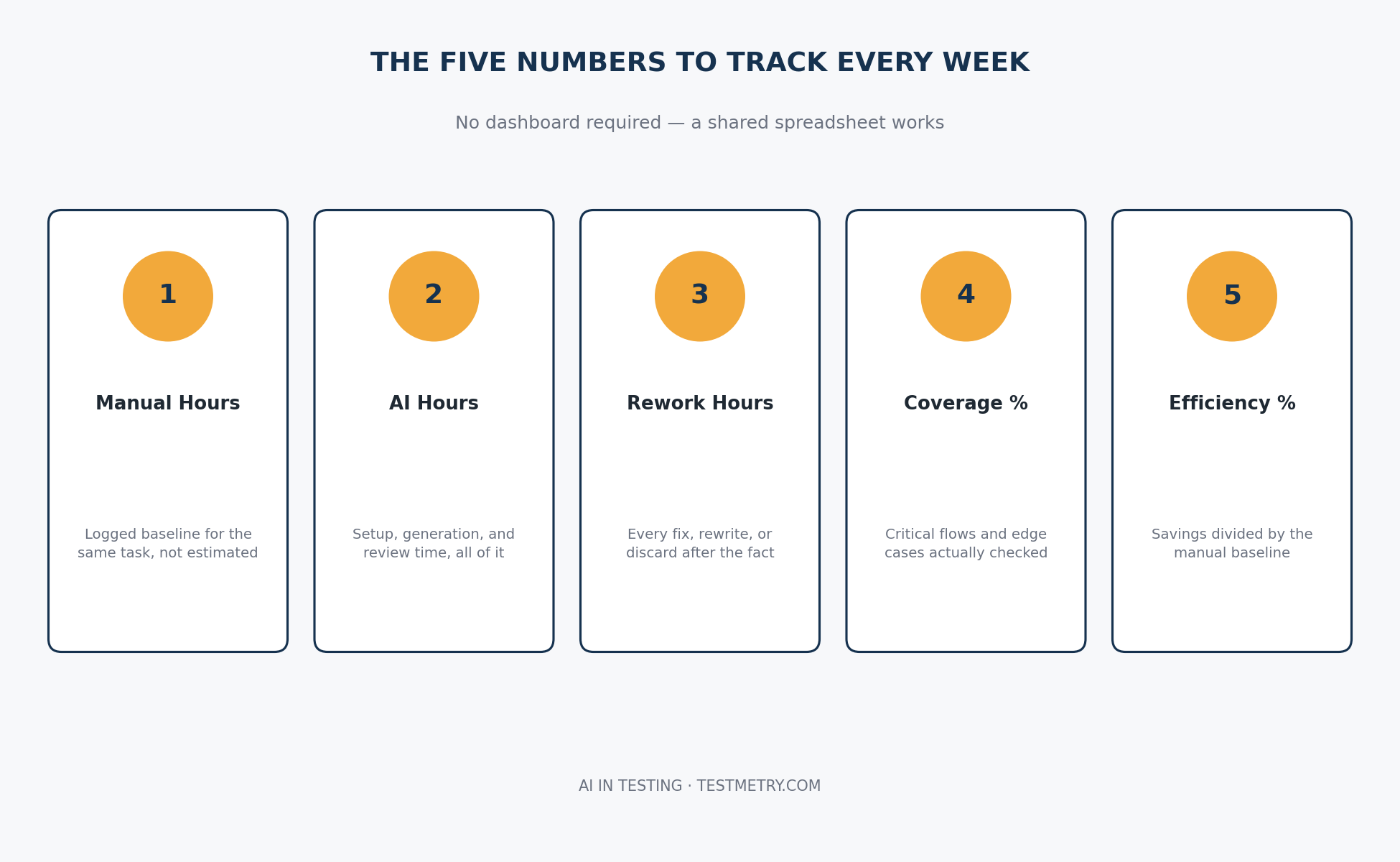
You need five numbers and one weekly habit. The numbers tell you what happened. The habit tells you whether it’s still true next month.
Start With the Manual Baseline You Actually Have
Before you can prove AI in testing saved anything, you need an honest number for what the same work cost before the tool existed. Pull your last full manual test cycle, whatever module or test suite you’re applying AI to now, and log the actual hours spent: writing test cases, executing them, and triaging results.
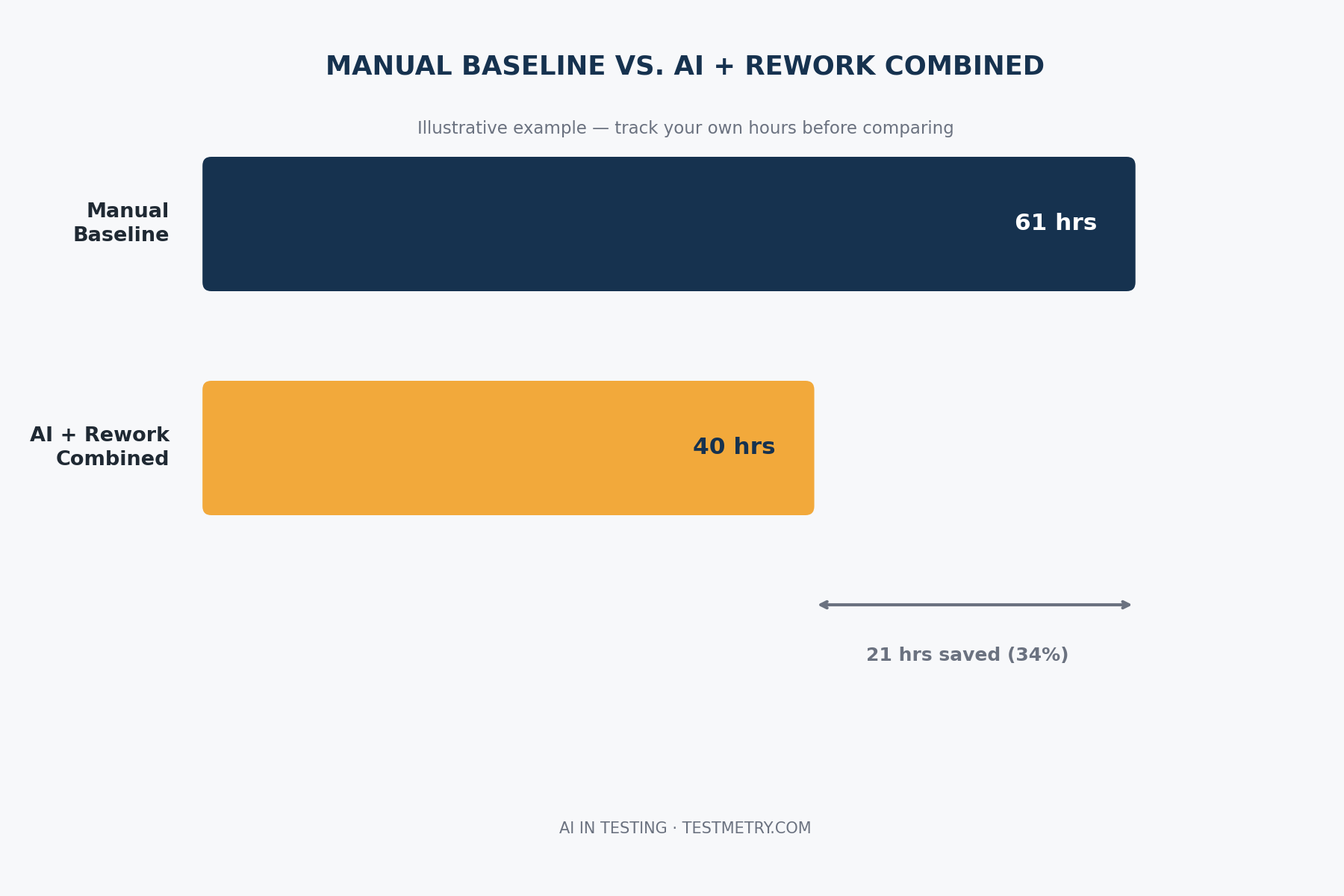
Don’t round up. Don’t use last year’s estimate from a planning doc. Use timesheet data or sprint tracking if you have it. On one engagement, the team’s own estimate of their manual regression cycle was 40 hours. Their actual logged time was 61. That gap is the first thing AI in testing gets blamed for or credited for unfairly, depending on which number you compare against.
Time the AI in Testing Run Against That Same Baseline
Now run the equivalent task with AI in testing and log the real elapsed time, including setup, prompt iteration, and review. Not just the generation step. A tool that produces tests in ten minutes but needs two hours of engineer review before anyone trusts them didn’t save you ten minutes of work. It moved the work somewhere else.
Track this per task type separately. AI-generated regression tests, AI-assisted test data creation, and AI-driven visual checks behave differently, and lumping them into one number hides which parts are actually earning their keep.
Rework Is the Number Most Teams Skip
This is the one that gets left out of every vendor case study I’ve read, and it’s the one that matters most. Log every hour spent fixing, rewriting, or discarding AI-generated tests after the fact. Flaky assertions, wrong locators, tests that pass but don’t actually check anything meaningful- all of it counts.
Rework is where the real cost of AI in testing hides. A team I worked with clocked 61 hours of manual baseline against 18 hours of AI-assisted generation, which looked like a clear win until they tracked 22 hours of rework the following two weeks. The honest savings weren’t the 43 hours the vendor deck implied. They were closer to 21.
Turn the Three Numbers Into One Efficiency Figure
Once you have manual hours, AI hours, and rework hours, the math is simple: manual hours minus (AI hours plus rework hours) equals your real savings. Divide that by the manual baseline and you get a percentage efficiency gain you can actually defend in a budget review.
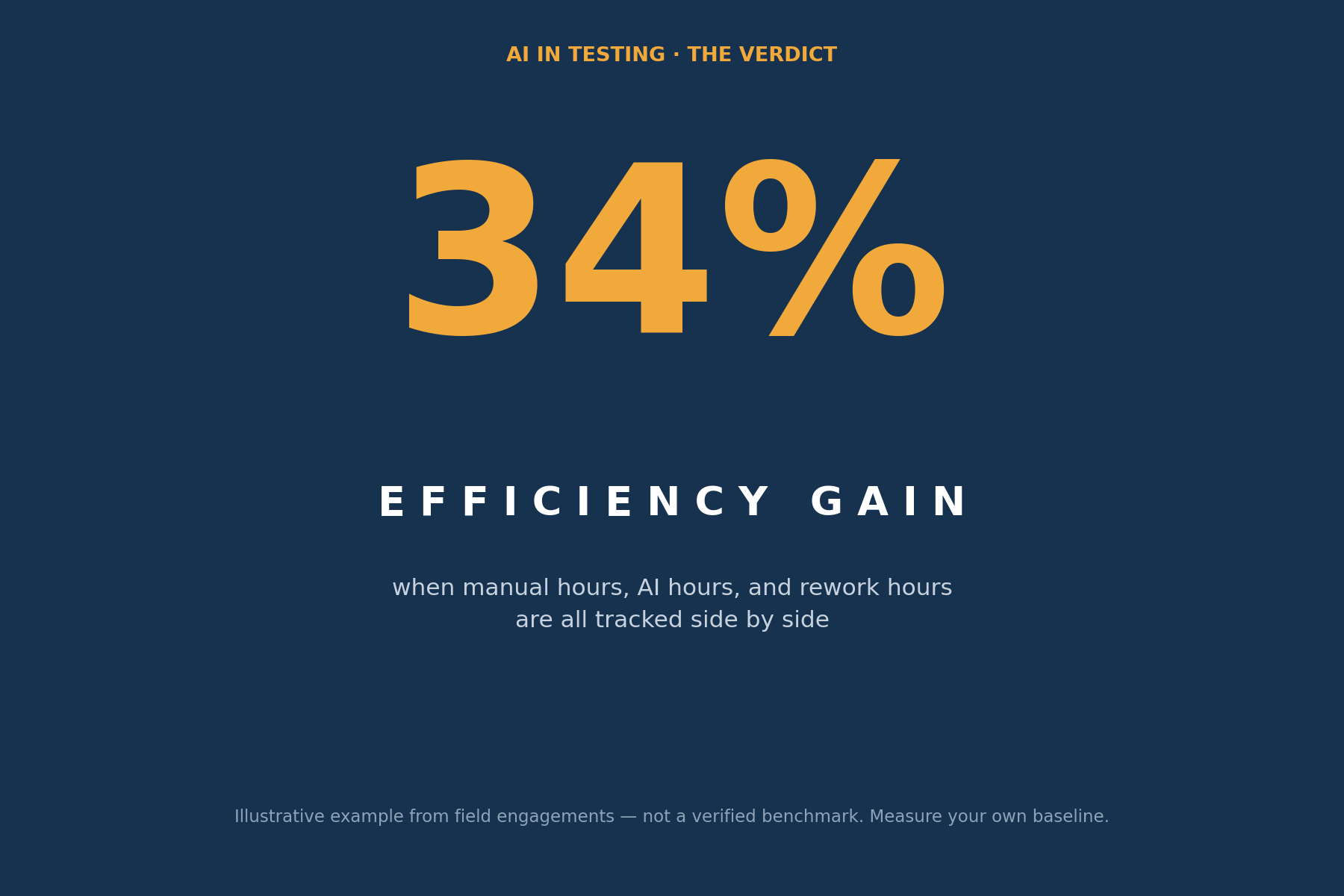
Report this number alongside the raw hours, not instead of them. A 34% efficiency gain sounds good on a slide. A 34% gain that came from a 61 hour baseline down to 40 hours combined AI and rework time is the kind of specific, checkable claim that survives someone asking “how do you know.”
AI In Testing Coverage Tells You If the Speed Is Real
Speed and rework savings mean nothing if AI in testing quietly narrowed what’s actually being checked. Before and after any AI adoption, log coverage the same way: percentage of critical user flows tested, percentage of code paths exercised, and count of edge cases explicitly covered versus assumed.
I’ve seen teams celebrate a 50% time reduction while coverage on payment flows dropped from 90% to 60%, because the AI tool defaulted to the easy, obvious test cases and skipped the ugly edge cases a human tester would have caught out of habit. That’s not a savings. That’s a hidden risk with a good press release.
Weekly Tracking Catches Drift Before It Compounds
Run this exact measurement every single week, not once at rollout and again at the annual review. AI testing tools drift. Prompts stop matching how the application evolved. Test generation quality that looked strong in week one can quietly degrade by week six as the codebase changes underneath it.
A weekly cadence turns a six-month surprise into a one-week fix. Keep the tracking dead simple; a shared spreadsheet with five columns beats a dashboard nobody opens. The habit matters more than the tooling around it.
Talk to the Team, Then Cut What Isn’t Working
Numbers tell you what happened. They don’t tell you why, and they don’t tell you what’s about to break. Every week, ask the engineers actually using the AI tool two questions: where did it slow you down instead of speeding you up, and what did you stop trusting it to do.
This is where the real signal lives. Dashboards show you rework hours after the fact. A tester will tell you three weeks earlier that they’ve started double-checking every AI-generated assertion on the payment module, which is the exact moment the tool’s ROI on that module went negative even though the numbers haven’t caught up yet.
Once a pattern shows up, whether it’s a specific test type, module, or workflow where AI in testing consistently costs more than it saves, drop it. Not the whole tool, the specific application of it. Keep using AI where the numbers and the team both say it’s working, and go back to manual or a different approach where they don’t. Measurement that never leads to cutting anything isn’t measurement. It’s decoration.
The Stuff That Doesn’t Work
Measuring test creation speed alone. This is the number every vendor leads with, and it’s the least useful one on its own. Without rework and coverage sitting next to it, a speed number is just marketing.
Quarterly or annual reviews. By the time a quarterly review flags a problem, you’ve already paid for three months of rework nobody caught. I used to run this exercise monthly on early engagements and watched teams lose weeks of avoidable rework in the gap between check-ins. Weekly is not optional; it’s the whole point.
Trusting the tool’s own reported metrics. Several AI testing platforms report their own “tests generated” or “coverage achieved” numbers. Verify these against your own logs before you put them in front of finance. I’ve seen a vendor’s self-reported coverage number sit twenty points higher than what an independent count actually found.
How This Changes What You Do
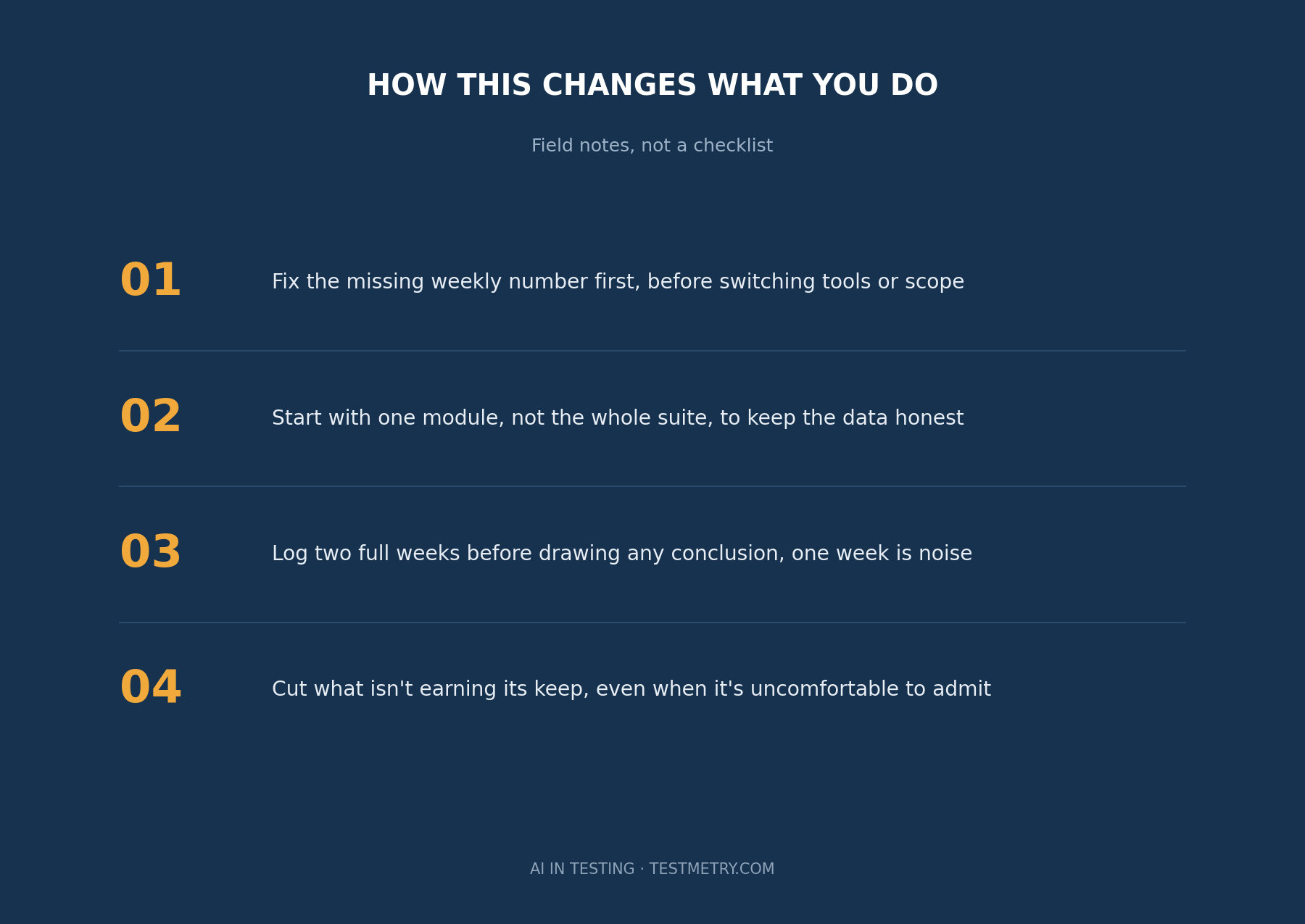
If you’re running AI in testing right now with no weekly number attached to it, that’s the first thing to fix, before any conversation about switching tools or expanding scope. Everything else downstream depends on having an honest baseline.
Start with one module, not the whole test suite. Log manual hours, AI hours, and rework hours for two weeks before you draw any conclusions; one week of data is noise. Bring the team into the weekly check-in from week one, not after the numbers already look bad. And when a specific application of the tool isn’t earning its keep after a month of honest tracking, cut it and move that effort somewhere the numbers actually support.
FAQ’s on AI in Testing
How long should I track AI in Testing results before trusting the numbers?
Give it a minimum of four weeks. The first two weeks usually include setup friction and a learning curve that inflate both AI hours and rework, so an early efficiency number will look worse than the steady state. Four weeks gives you enough data to see a real pattern instead of onboarding noise.
What if my team using AI in Testing doesn’t log hours accurately today?
Start anyway, with whatever precision you have. A rough weekly estimate logged consistently beats a perfectly accurate number you never collect. Precision improves once the habit is in place, but the habit has to exist first.
Should AI in Testing coverage be measured the same way for every module?
No. A payment flow and an internal admin panel don’t carry the same risk, so don’t hold them to identical coverage targets. Set the bar per module based on what breaking it actually costs the business, then track drift against that specific bar.
Is a 30% efficiency gain good for AI in Testing?
It depends entirely on what’s inside that 30%. A 30% gain with rework under 15% of total effort is solid. The same 30% with rework eating half the AI time saved is a number worth questioning, not celebrating.
What’s the biggest reason teams stop measuring value of AI in Testing after the first month?
It’s friction, not lack of value. The spreadsheet gets skipped for a sprint, then two, then nobody remembers the baseline. Assign one person ownership of the weekly update, five minutes a week, and it survives far longer than a shared responsibility does.
Can this framework work for manual testers being asked to review AI in Testing output, not just AI generation itself?
Yes, and it should. Log the review time as part of your AI hours, not as a separate hidden cost. Review is real effort, and leaving it out is exactly how teams end up overstating their savings.
The Bigger Picture
AI in testing is going to keep getting sold on speed, because speed demos well and rework doesn’t. The teams that actually keep these tools past the first budget cycle won’t be the ones with the fastest test generation. They’ll be the ones who can walk into a review with real hours, real rework, and real coverage numbers, and answer the hard question without flinching.
That habit doesn’t require a bigger platform or a specialized dashboard. It requires a spreadsheet, a weekly fifteen-minute check-in, and the discipline to cut what the numbers say isn’t working, even when it’s uncomfortable to admit. That discipline is the actual differentiator, not the AI.
Closing Notes on Measuring Value of AI in Testing
Measuring test coverage and rework honestly is the exact gap I built NoSkript to close, so I’m biased on that point, but the AI in testing framework above works with a plain spreadsheet just as well. Start with one module this week. The number you get back will tell you more than any vendor pitch did.