Benchmark testing gets confused with two other things constantly: baseline testing and just running a load test. I’ve corrected this mix-up in enough sprint planning meetings to know it’s not a small confusion; it changes what a team actually measures and why.
The performance testing tools market is projected to grow from $1.64 billion in 2025 to $3.19 billion by 2030, a 14.2 percent compound annual growth rate, according to Mordor Intelligence. Most of that spend goes toward tools most teams use incorrectly: running a load test and calling the result a benchmark, with nothing to actually compare it against.
This piece covers what benchmark testing actually means for software, how it differs from baseline testing, which tools QA teams reach for, and why comparing raw numbers across two different tools is a mistake almost everyone makes at least once.

Source: Mordor Intelligence, Performance Testing Tools Market report.
Context
Most teams that say “we benchmark our API” are actually running a load test once, writing down the number, and never comparing it to anything external. That’s not benchmark testing. That’s a single data point with no standard behind it.
Twenty five years of reviewing performance test plans have taught me the distinction that actually matters: a benchmark compares your system against an outside standard, industry norms, a competitor, a previous version of the same tool. A baseline compares your system against itself over time. Teams that conflate the two end up chasing a number nobody defined, against a target nobody set.
Findings
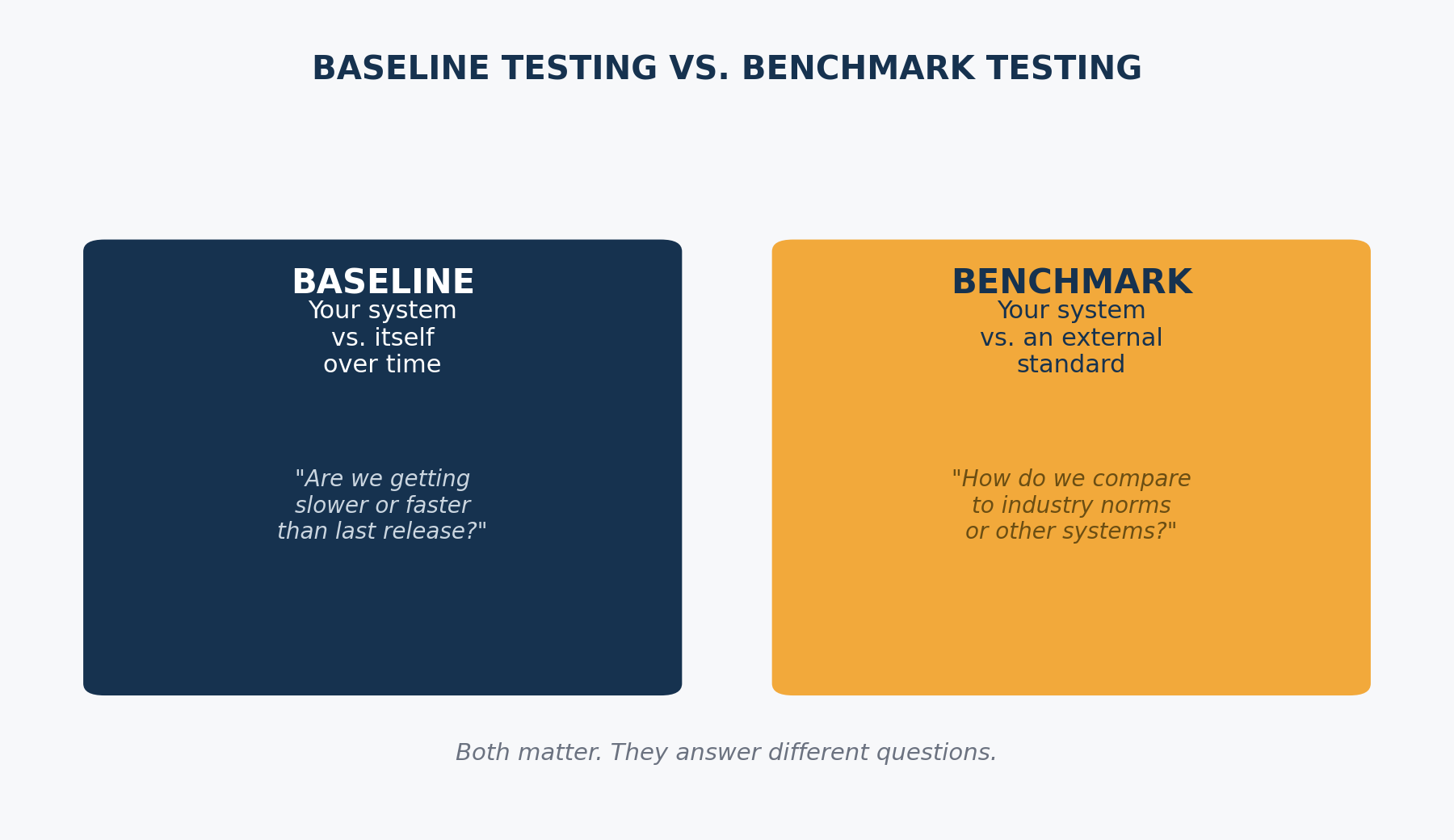
Benchmark Testing Compares You to a Standard, Baseline Testing Compares You to Yourself
Baseline testing establishes what your system does right now, under typical conditions, so you have a reference point before you change anything. Benchmark testing puts that same system next to an external standard, a previous release, a competitor’s published numbers, or an industry target like a sub-two-second page load.
Skip the baseline and a benchmark tells you where you stand today but nothing about whether you’re improving. Skip the benchmark and a baseline tells you you’re consistent, not whether consistent is actually good enough.
Load, Stress, and Spike Are the Benchmarks That Actually Show Up in CI/CD
Load testing checks how a system performs under expected traffic. Stress testing pushes past that point to find where it breaks. Spike testing checks how the system handles a sudden, short burst rather than a gradual ramp. Soak testing runs a sustained load for hours to catch the memory leak or connection pool exhaustion that a five-minute test never surfaces.
Most CI/CD pipelines only run a scaled-down load test on every build and save stress and soak testing for a pre-release cycle. That’s a reasonable tradeoff for speed, as long as someone is honest that a green load test result says nothing about how the system behaves at 3x traffic.
JMeter, k6, and Gatling Solve the Same Problem Differently
Apache JMeter has the broadest protocol support and a GUI that lowers the barrier for a QA generalist, at the cost of being heavier per virtual user. k6 is JavaScript-based, CLI-first, and built for living inside a CI/CD pipeline. Gatling uses a code-first Scala, Java, or Kotlin DSL and produces reports that survive being shown to a non-technical stakeholder. Locust is Python-based and fits teams that already write test automation in Python.
None of these tools is the correct default. The right one matches the protocols you need to hit and the language your team already writes in, not whichever name comes up first in a search.
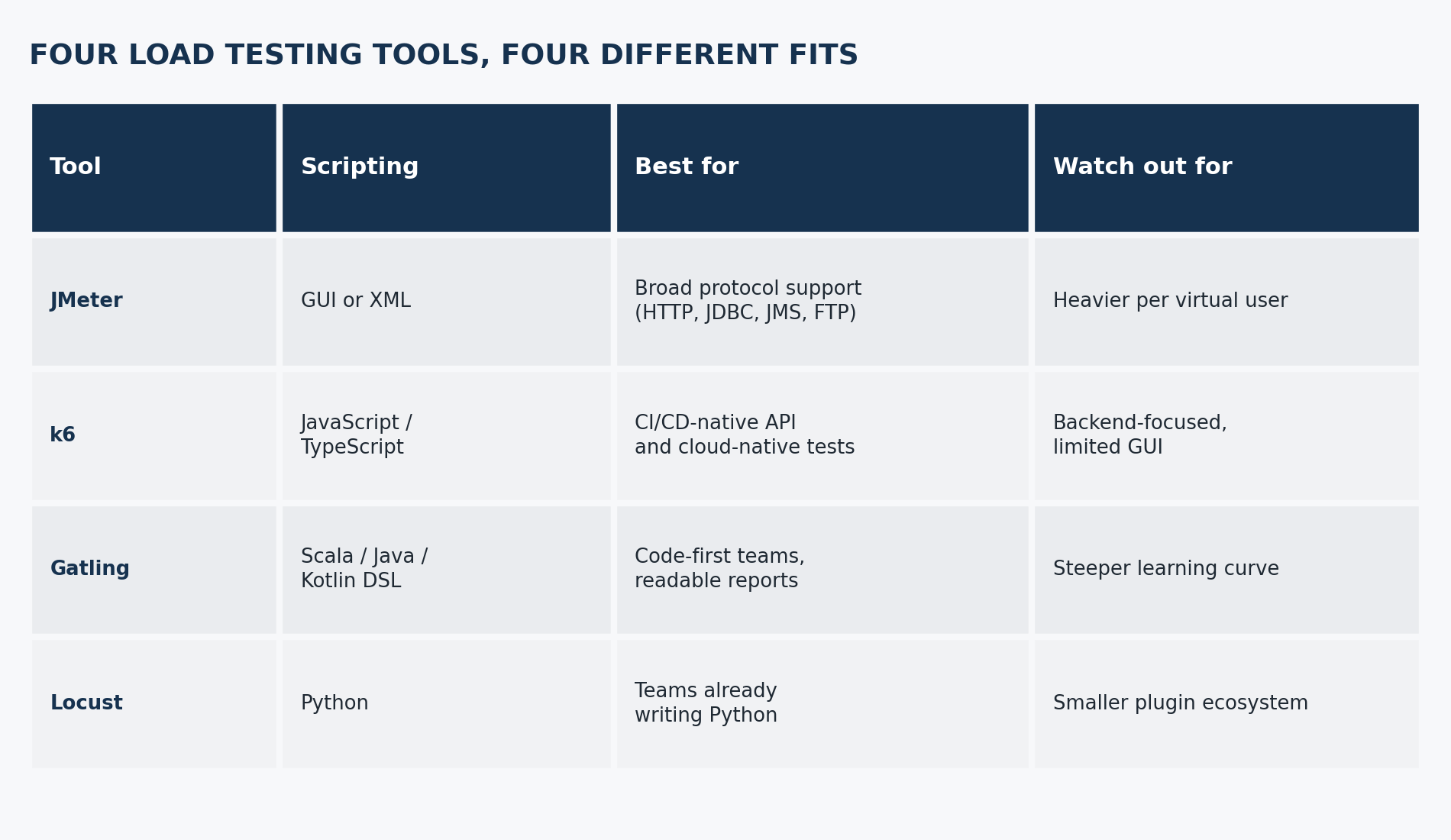
Pick the tool that matches your team’s stack, not the one with the most GitHub stars.
The Tool You Pick Changes What “Response Time” Actually Means
JMeter’s default response time includes the full request lifecycle. k6 breaks that into separate phases: connecting, TLS, waiting, receiving. Gatling starts its clock when it attempts to send the request. Ranorex’s engineering team documented that running identical tests across these tools produces a 10 to 20 percent variance, not because one tool is wrong, but because each one is measuring a different slice of the same request.
I’ve seen a team panic over a 15 percent regression that turned out to be a tool migration, not a real slowdown. Document how your tool defines its numbers before you compare anything across a migration, and rerun both tools in parallel long enough to understand the gap.
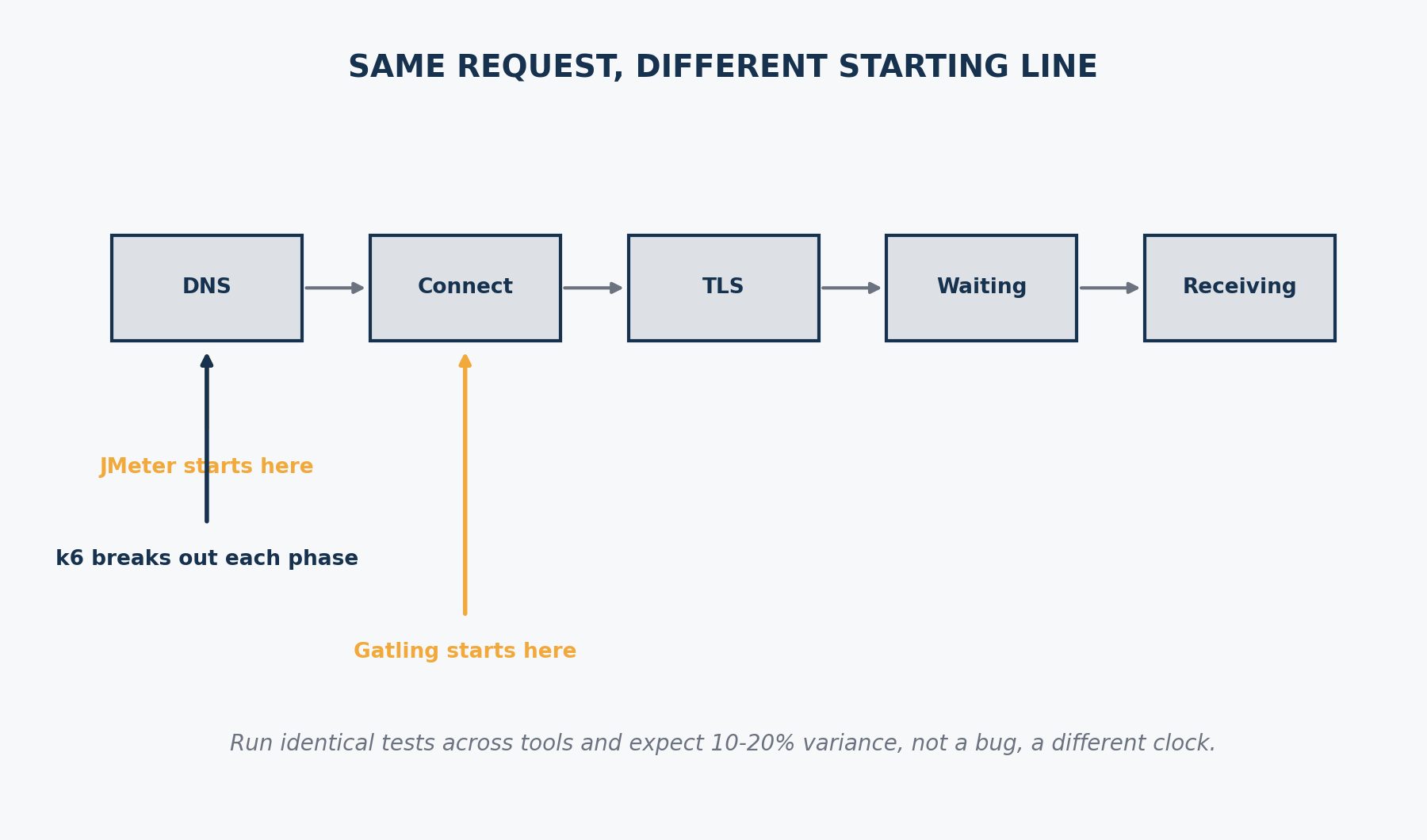
Same request. Different starting line. That’s where the variance comes from.
A Green Benchmark Doesn’t Mean a Good User Experience
A system can hit every response time target in a benchmark report and still feel slow to a real user, because the benchmark measured server response and the user is waiting on client-side rendering, a slow third-party script, or a chain of sequential API calls the test never simulated.
Benchmark testing tells you the server did its job in the time you asked for. It doesn’t tell you the experience was good. That gap is where a QA engineer’s judgment still matters more than the tool’s output.
The Stuff That Doesn’t Work
Three assumptions about benchmark testing fall apart once you’ve run enough of them.
“More virtual users means a more realistic test” doesn’t hold up. I’ve seen teams simulate ten times their actual peak traffic and call the result meaningful, when their real problem was a single slow database query that a thousand virtual users hitting sequentially never exposed. Realistic traffic patterns matter more than raw volume.
“Benchmark once at launch and you’re done” doesn’t hold up either. Every dependency update, every new feature, every infrastructure change shifts the number. A benchmark from six months ago tells you almost nothing about a system that’s shipped forty releases since.
I used to compare raw scores across tools, a Gatling number from one migration against a JMeter number from the last, and call a difference a regression. That cost my team a false-alarm investigation more than once. Different tools measure different things by default. Compare within a tool, not across one, unless you’ve confirmed both are measuring the same phases.
How This Changes What You Do
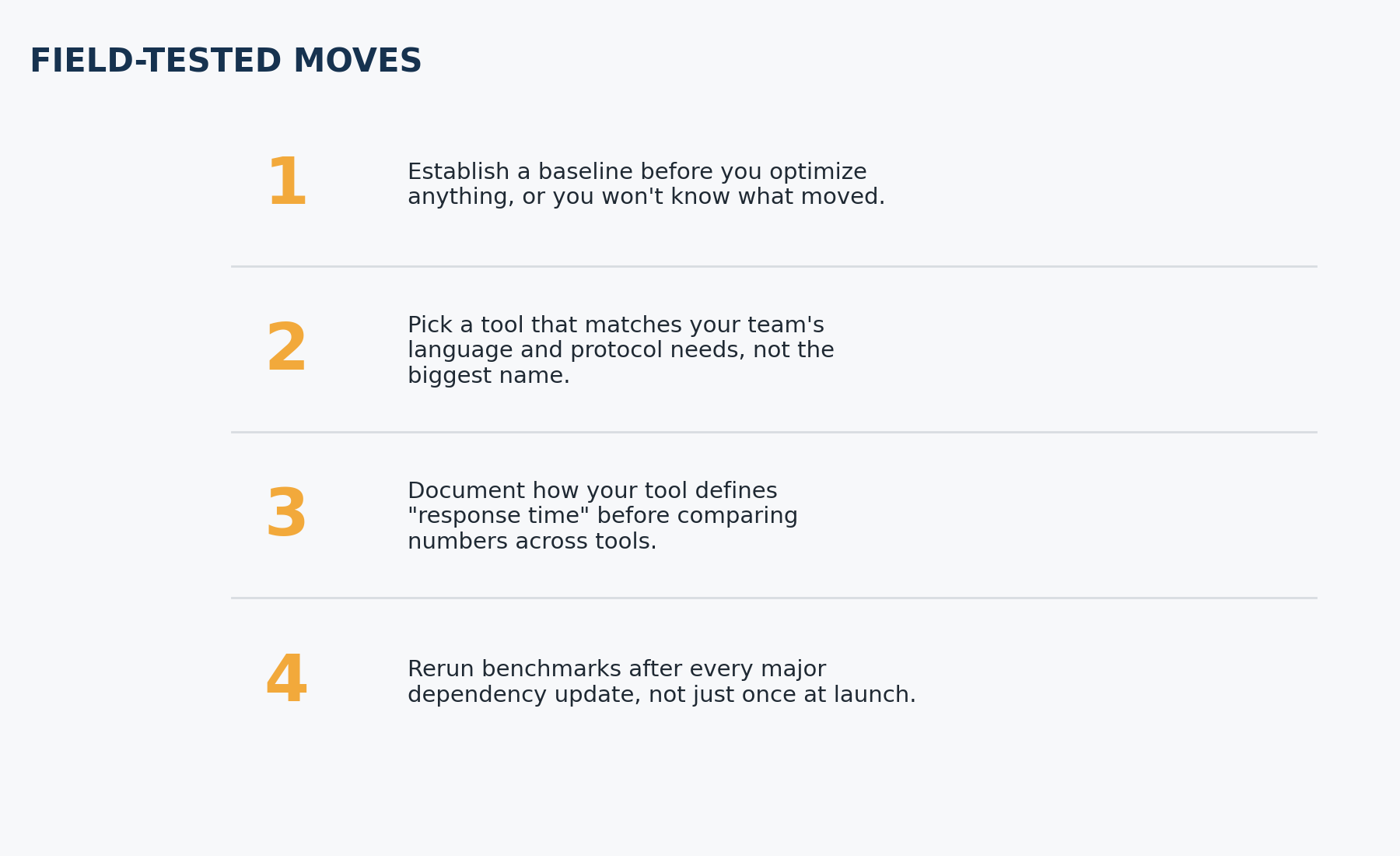
Four moves if your team’s benchmark testing is closer to a one-time number than an actual practice.
- Establish a baseline before you optimize anything, or you won’t know what actually moved.
- Pick a tool that matches your team’s language and protocol needs, not the biggest name in the space.
- Document how your tool defines “response time” before comparing numbers across tools or migrations.
- Rerun benchmarks after every major dependency update, not just once at launch. If your team is chasing flaky results instead of real regressions, TestMetry’s piece on flaky tests covers the same root-cause discipline applied to test automation instead of performance.
FAQ
What is benchmark testing?
Benchmark testing compares a system’s performance against an external standard, such as an industry target, a competitor, or a previous version of the same system. It answers whether a system measures up to something outside itself, not just whether it’s consistent. A team running benchmark testing correctly defines the standard before running the test, not after.
What is the difference between benchmark testing and baseline testing?
Benchmark testing compares a system to an external standard, while baseline testing compares a system to its own earlier performance. A baseline is the “before” snapshot used to track change over time, while a benchmark is the outside reference point used to judge whether that performance is actually good. Most mature QA programs run both.
What is the difference between benchmark testing and load testing?
Load testing is a technique that applies simulated traffic to a system, while benchmark testing is the practice of comparing the results of that technique against a standard. A load test without a defined standard to compare against produces a number, not a benchmark. Run the load test, then compare the result to something external to make it a benchmark.
What tools are used for benchmark testing?
Apache JMeter, k6, Gatling, and Locust are the tools QA teams reach for most in 2026, each fitting a different team profile. JMeter covers the broadest protocol range through a GUI, k6 fits CI/CD-native API testing, Gatling suits code-first teams that want readable reports, and Locust fits teams already writing Python. Pick based on your team’s language and protocols, not popularity.
How often should you run benchmark tests?
Run benchmark tests after every major dependency update, new feature release, or infrastructure change, not just once at launch. A benchmark from months ago says little about a system that has shipped dozens of releases since. Teams with mature performance practices also run a lighter version continuously inside CI/CD.
What is a good benchmark for API response time?
There’s no single correct number, since a good API response time benchmark depends on the endpoint’s purpose and your users’ expectations, though sub-200-millisecond responses are a common target for simple read operations. Set your own standard based on what the endpoint does and what breaks the user experience if it’s slower. Borrowing someone else’s target without context produces a benchmark that measures the wrong thing.
The Bigger Picture
The tools in this space keep converging on the same destination: code-first, CI/CD-native performance testing that runs on every meaningful change instead of once before a release. k6 reaching general availability with native TypeScript support and Gatling adding JVM language support through GraalVM both point the same direction, performance testing is becoming a continuous discipline instead of a pre-launch ritual.
That shift matters more than which specific tool wins. A team that only benchmarks before a big launch is always working from stale data. A team that benchmarks continuously catches the regression the week it happened, not the week a customer complained.
Closing
Benchmark testing is a comparison, not a score to chase. Set the standard first, establish your baseline, then measure. For the automation side of this same discipline, see TestMetry’s Test Automation coverage.